How do I show live standings without making everyone install an app?
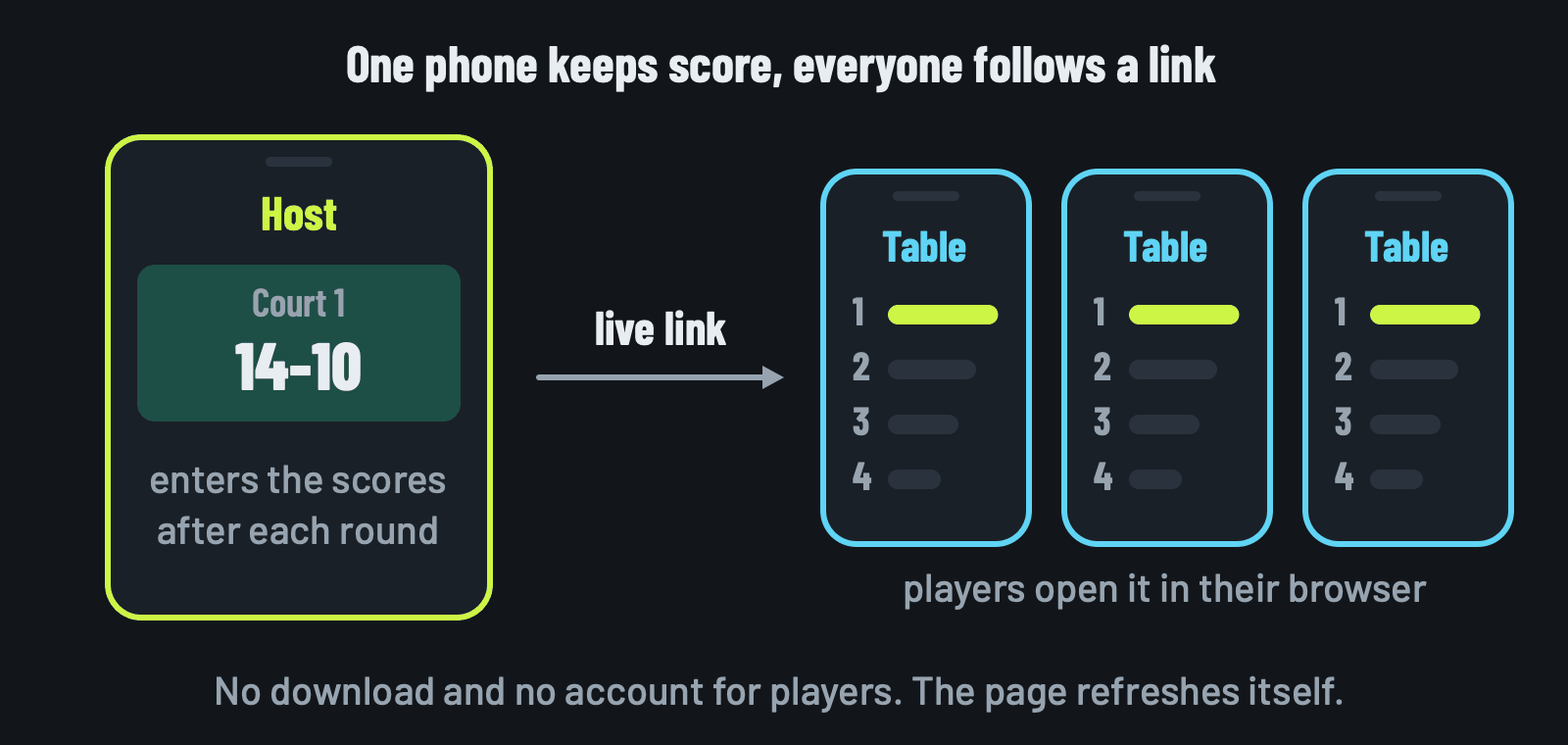
Share a web link instead of an app. A live standings page opens in any phone's browser, needs no account and updates as the host enters scores. A view-only spreadsheet, a screen in the bar or a photo of a paper table also work. The table below compares all five ways.
Why avoid an app download?
Every download is a hurdle at the court gate. Some players have no space or the wrong phone, and some just won't. Organisers on r/padel and other racket-sport forums keep asking for a way to run a tournament without making everyone sign up.
What should a standings screen show?
Players look at the standings between rounds with a few seconds to spare. A good screen answers four questions at a glance:
- Where am I? The table: rank, points, and point difference for ties.
- Where do I play next? The current round: which court and with whom.
- Am I sitting out? The players resting this round, named.
- Is this up to date? Which round the table includes.
Whatever you use, check it shows all four. A table without the next round sends everyone back to you anyway.
What are the options?
| Option | Players need | Updates | Set-up time | Best for |
|---|---|---|---|---|
| A live link from an app | a browser | by itself, as scores go in | none | 8 or more players |
| A view-only spreadsheet | a browser | when you type | 15 minutes | groups that already use a sheet |
| A screen in the bar | nothing | when the host updates it | a few minutes | clubs with a TV or tablet |
| A text update in the chat | the chat they use | after each round | none | any group, low effort |
| Paper and a photo | the chat they use | after each round | none | 4 to 6 players |
Option 1: a live link
A live standings page is a web address anyone can open in a browser, on a phone, tablet or laptop. The host enters the scores and the page updates for everyone else, with no download and no account.
Several apps offer one. The app comparison lists which, with sources. Look for a link that is read-only, so nobody can change a score by accident, and that shows the current round as well as the table.
If the host's signal drops, nothing is lost: the app keeps every score and updates the link as soon as the phone is back online.
Option 2: a view-only spreadsheet
If you already keep scores in Google Sheets, share it read-only:
- Open the sheet and choose Share.
- Under General access, pick "Anyone with the link" and set the role to Viewer.
- Copy the link and post it in the group chat.
Players see your changes when they reload. The catch: you type every score by hand, and a wrong formula range shows wrong totals to everyone. The spreadsheet page has a template that adds up the points for you.
Option 3: a screen in the bar
A TV or a tablet propped up by the courts works for everyone at once, phones or not. Open the standings on any device with a browser and mirror it to the screen, or leave a tablet on the bench.
Option 4: a text update in the chat
After each round, paste the top of the table into the group chat as plain text. It takes a few seconds and everyone already has the chat open.
In Padelato, Menu, then Copy standings puts the whole table on your clipboard, ready to paste.
Option 5: paper and a photo
Keep the table on paper on the bench, update it after each round and post a photo in the group chat. The photo is only as current as the last round you wrote down, but nobody needs more than the chat they already use.
What should I post at the start?
Send one message before round 1, so nobody asks again:
Which should I pick?
For a one-off with four friends, paper or a text update is fine. With 8 or more players, a live link saves you reading out scores between rounds and stops the "what did we get?" questions. If your club has a screen, use it as well: it reaches the players who never check their phone.
The hosting checklist covers the rest of the evening, and the standings guide explains how the table is ranked.
Questions people ask
Can players see Americano standings without an app?
Yes. A live link opens in any phone's browser, with no download and no account, and shows the table and the current round as the host enters scores.
How do I share standings with the group during an Americano?
Post the live link in the group chat once, at the start. Players open it whenever they like. Without a tool, post a photo of the paper table after each round.
Do players need to create an account to follow an Americano?
Not with a live link. Only the host enters scores; everyone else just opens the link to watch.
How often does a Padelato live link update?
The page checks for new scores about once a minute while it is open, and a tap on it refreshes it straight away.
Can strangers find our standings on Google?
Not through Padelato. Live-link pages tell search engines not to index them, so they only reach people you send the link to, and the host can stop sharing at any time.